


 Alert!

Screen every part
of the payment,not just the name.
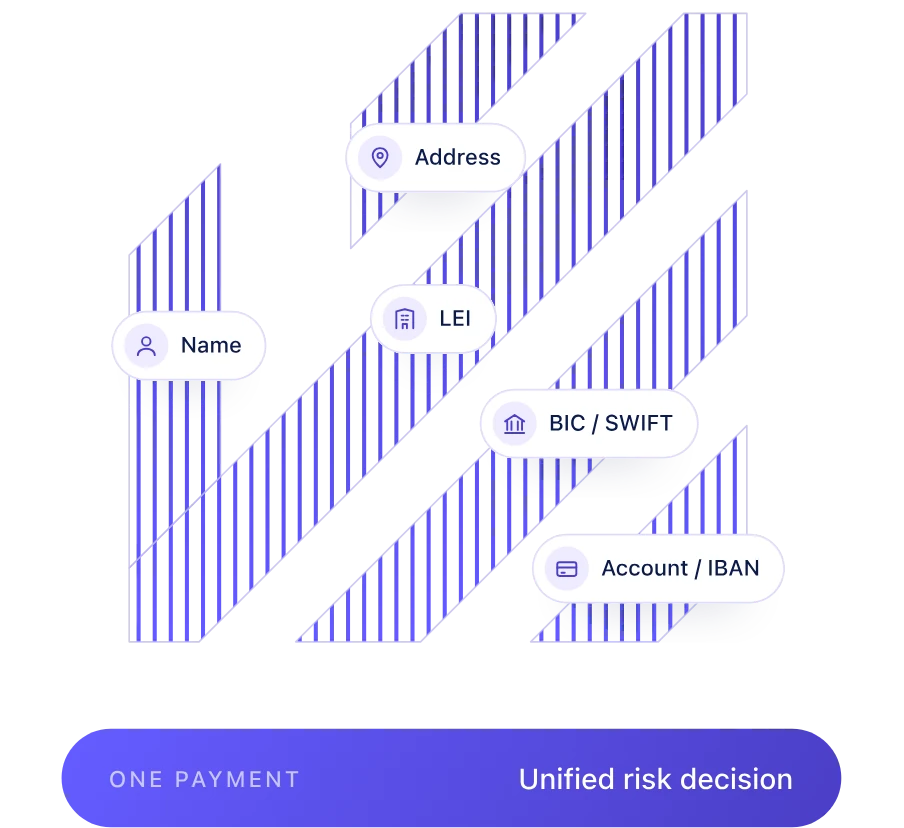
One configurable check for the name, the bank, the address, the LEI and the account.
Book Free Demo







What is Payment Screening?
Payment Screening
is the process of checking every part of a payment, including names, addresses, LEIs, BIC / SWIFT codes and account numbers, against sanctions lists and other risk data.
Who the lists cover
These lists identify individuals, businesses, and jurisdictions that are restricted due to involvement in activities such as terrorism, money laundering, or other financial crimes.
Why it matters
By matching customer data against these lists, organizations can detect potential risks, prevent prohibited transactions, and ensure compliance with global regulatory requirements.
Five attributes. One unified check.
Built into the same AML Watcher platform that runs entity, PEP and adverse-media screening.
Most teams check the sender, check the beneficiary and clear the payment. That leaves significant exposure, and regulators increasingly expect the rest to be checked.
A clean name doesn’t mean a clean payment.
Sender and Beneficiary
Checked. Clean names clear the payment.
The Routing Bank
Routes through a sanctioned institution.
The Declared Address
Originates from a restricted jurisdiction.
The LEI
Resolves to a different legal name.
The Account
Lands in a blacklisted account.
Name-Only Tools
Can’t see the bank, the address, the LEI or the account. A clean name clears anyway.
Manual Checks
No automation, no live data, no audit trail. Hard to scale, impossible to demonstrate to a regulator.
Point Solutions
Multiple vendors, multiple contracts, fragmented data. No unified risk picture.
Broad AML Platforms
Rigid, IT-heavy and short on multi-attribute rules. BIC and account checks rarely combined.
AML Watcher Payment Screening
All five attributes in one configurable check, with one unified risk decision.
Each attribute, configured
independently to your risk appetite
and regulatory requirements.
Correlated
Contradiction
Detection
Location or
Branch
Match
Go deeper on the bank and the account
Each BIC is resolved to its institution name and screened against sanctions, PEPs, watchlists and adverse media. Not a static lookup: a live check on the same data estate behind all AML Watcher screening.
Explore BIC ScreeningZZ02 EXMP 1020 3012 3456 78Rules that work at scale
Most teams check the sender, check the beneficiary and clear the payment. That leaves significant exposure, and regulators increasingly expect the rest to be checked.
Basic Info
Name it and set the scope: one team, a business unit or the whole organization.
Matching Rules
Choose attributes, set thresholds from broad to exact, pick the BIC mode and upload account blacklists via CSV.
Review & Activate
Preview, then activate. Every rule is logged and version-controlled from the moment it goes live.
Define it once. Apply it everywhere.
The same ruleset runs on every payment, with a full audit trail and no trips back to IT.
Live data, not static lists
Every attribute runs on the same live, continuously updated data estate as all AML Watcher screening. Point solutions for BIC or LEI lookups rely on static or narrow data.
Why AML Watcher wins
The blind spot regulators are closing in on is the one AML Watcher already covers.
Five attributes in one check, no blind spots
Name-only tools, still the market default, can’t see the bank, the address, the LEI or the account. AML Watcher checks all five in a single call.
Self-service in minutes, no implementation project
A three-step wizard instead of a lengthy integration project. Reusable configurations your compliance team owns.
One platform, unified case management
Payment alerts land in the same queue, with the same case management, audit trail and TruRisk AI as every other module. No separate portal, no data reconciliation, no duplicate cases.
Dashboard and API, for every team
Analysts run checks from the back-office dashboard. Engineers embed five-attribute screening with a single API call. One configuration powers both.
Built for every team responsible for the payment chain
For any organization with regulatory responsibility for the counterparties, institutions and accounts in a payment chain. Highest value where volumes are high, cross-border exposure is significant and name-only screening no longer meets regulatory expectations.
Banks & Correspondent Banks
Regulators expect the full payment chain screened, not just the end counterparties: names, institutions and jurisdictions.
Names, routing banks, addresses, LEIs and account blacklists in one check.
Payment Service Providers & Fintechs
High cross-border volume that can’t slow payment rails.
API-driven screening with reusable configurations.
EMIs, Remittance & Money Transfer Operators
Travel Rule and wire-transfer obligations need institution and name checks together.
BIC mode screens the routing bank. Name and address run in the same call.
Compliance Teams & MLROs
Audit-ready controls, without waiting on IT.
Define rules once in the wizard and apply them to every run.
Onboarding & KYB Teams
Business customers and their counterparties need to be checked before a payment relationship starts.
Screen entity names, addresses and LEIs at onboarding, then reuse the same checks on every payment.
Existing AML Watcher Customers
Already screening entities or adverse media with AML Watcher.
Extend the same coverage to payments, with no new vendor.
FAQs
How is it different from name-only screening?
Name-only tools can’t see the routing bank, address, LEI or account, so a clean name clears while the money moves through a sanctioned institution. Payment Screening checks all five in a single call.
Which attributes are screened?
Name (fuzzy and exact), Address (independent or correlated, exact or partial), LEI (exact plus contradiction detection), BIC / SWIFT (bank, country, location or branch) and Account Number / IBAN (exact blacklist match).
Do I need engineering to set it up?
No. The Payment Configuration wizard takes three self-service steps, and every rule is logged and version-controlled.
Can I use it through an API?
Yes. Run checks from the dashboard, or embed five-attribute screening in payment flows with a single API call. One configuration powers both.